I get a model on http://sketchup.google.com/3dwarehouse/,... great! But I would like to export it for Zbrush (without an another expensive software). It works like that:
1. Download the free Sketchup software
2. Download the Obj exporter from Sketchucation
http://sketchucation.com/forums/viewtopic.php?t=33448
install it
3. Download your model from the warehouse (skp file)
4. Open it in Sketchup, export it als Obj
5. Import the as tool in ZBrush
That's it
i.e.
Showing posts with label Tips. Show all posts
Wednesday, February 20, 2013
Wednesday, October 24, 2012
Make a Button for a Maxscript
I forget everytime this simple thing:
How to make a button for my own maxscript:
open the MAXScript Editor...
open your script
Select All (Alt A)
Drag the script on a Toolbar.
That's it
Script auf Button legen:
Scripteditor öffnen, kompletten Code kopieren und auf eine leere Fläche in einem Toolbar ziehen.
How to make a button for my own maxscript:
open the MAXScript Editor...
open your script
Select All (Alt A)
Drag the script on a Toolbar.
That's it
Script auf Button legen:
Scripteditor öffnen, kompletten Code kopieren und auf eine leere Fläche in einem Toolbar ziehen.
Monday, October 15, 2012
Tutorial on DigitalDesign magazine
My tutorial about the Dynamesh Function of Zbrush is online by DigitalDesign Magazine:
free teaser
full magazine
enjoy! ;)
Friday, December 17, 2010
Tuesday, November 16, 2010
Hide Lightbox at ZBrush's start.
I didn't want to see the Lightbox at start from ZBrush. I search for an issue, Marcus from ZbrushCentral get it. here:
1. Locate the DefaultZScript.txt file in the ZBrush 4.0\ZScripts folder.
2. Open the file in Notepad.
3. Edit the file so it looks like this:
Code:
//startup [If,[MemGetSize,Startup_Mem],, [MVarDef,Startup_Mem,1,0] [IPress,Preferences:Lightbox:Lightbox] ] [pd]
4. Save the file.
5. Restart ZBrush.
Lightbox will probably appear briefly but will not stay open. You can open it any time by using the comma (,) key.
Here the original post.
I didn't want to see the Lightbox at start from ZBrush. I search for an issue, Marcus from ZbrushCentral get it. here:
1. Locate the DefaultZScript.txt file in the ZBrush 4.0\ZScripts folder.
2. Open the file in Notepad.
3. Edit the file so it looks like this:
Code:
//startup [If,[MemGetSize,Startup_Mem],, [MVarDef,Startup_Mem,1,0] [IPress,Preferences:Lightbox:Lightbox] ] [pd]
4. Save the file.
5. Restart ZBrush.
Lightbox will probably appear briefly but will not stay open. You can open it any time by using the comma (,) key.
Here the original post.
Tuesday, November 2, 2010
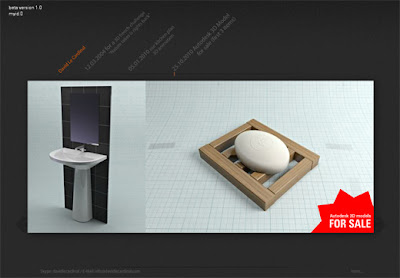
Some 3D Model i made, to sell here:
http://www.fallingpixel.com/3d-artists/davidlecardinal
Actually I work again of new version of www.davidlecardinal.com (AS3) just for fun and for learning AS3.
http://www.fallingpixel.com/3d-artists/davidlecardinal
Actually I work again of new version of www.davidlecardinal.com (AS3) just for fun and for learning AS3.
Tuesday, January 5, 2010
Convert *.skp for 3ds max (*.FBX or *.3DS)
You know sketchup and his google 3D models gallery. here it is:
http://sketchup.google.com/3dwarehouse/
So much 3D file to download.
ok, that's fun but what can I do with it in 3DS max... hop need to convert. Google give me the process to import/convert a google sketchup model (*.skp) to max (3DS or FBX).
First we need 2 free software from Autodesk, FBX Converter and Google Sketchup (actually version 7):
You can download the windows version of the FBX converter from:
http://images.autodesk.com/adsk/fil...nverter_win.exe
The program will install to the following location (unless you specify otherwise):
Program Files\Autodesk\FBX\FBXConverter\2006.11.2\FbxConverterUI.exe
and for Google Sketchup:
http://sketchup.google.com/download/
Here is the process for converting from .skp to .3ds:
1) Download or create a .skp model in Sketchup
2) In Sketchup, export your model to "Google Earth 4 (*.kmz)
(note: be sure to choose version 4, because the other one is different)
3) Change the extention of the kmz file to .zip
4) Pull out the .dae file
5) In FBX Converter, convert the .dae file to .fbx
6) In FBX Converter, convert the .fbx file to .3ds
Note: in max you can import the *.FBX file, it works pretty.
something you can use to clean the mesh: detriangulator maxscript:
http://www.scriptspot.com/3ds-max/detriangulator
Source: http://forums.devshed.com/game-development-141/converting-sketchup-models-to-3dst-519710.html
You know sketchup and his google 3D models gallery. here it is:
http://sketchup.google.com/3dwarehouse/
So much 3D file to download.
ok, that's fun but what can I do with it in 3DS max... hop need to convert. Google give me the process to import/convert a google sketchup model (*.skp) to max (3DS or FBX).
First we need 2 free software from Autodesk, FBX Converter and Google Sketchup (actually version 7):
You can download the windows version of the FBX converter from:
http://images.autodesk.com/adsk/fil...nverter_win.exe
The program will install to the following location (unless you specify otherwise):
Program Files\Autodesk\FBX\FBXConverter\2006.11.2\FbxConverterUI.exe
and for Google Sketchup:
http://sketchup.google.com/download/
Here is the process for converting from .skp to .3ds:
1) Download or create a .skp model in Sketchup
2) In Sketchup, export your model to "Google Earth 4 (*.kmz)
(note: be sure to choose version 4, because the other one is different)
3) Change the extention of the kmz file to .zip
4) Pull out the .dae file
5) In FBX Converter, convert the .dae file to .fbx
6) In FBX Converter, convert the .fbx file to .3ds
Note: in max you can import the *.FBX file, it works pretty.
something you can use to clean the mesh: detriangulator maxscript:
http://www.scriptspot.com/3ds-max/detriangulator
Source: http://forums.devshed.com/game-development-141/converting-sketchup-models-to-3dst-519710.html
Friday, July 10, 2009
How to import *.lwo files in 3ds Max without Lightwave?
Yesterday I get some 3D at this URL http://dmi.chez-alice.fr/models1.html. Exactly what I were looking for... but I get only *.lwo files... Arrrrg. Ok I asked my friend Google :) and this the way I get my model in 3ds max:
1. Download Accutrans 3D. It's a shareware, You can also try or buy (20$). First I try :)
2. Open your *.lwo in Accutrans 3D
3. Save as... what you want.
I tested different output file. First as *.obj... it won't work properly. 3DS works great (model 1 and 2 and the picture below). I get only strange black triangle in the viewport for the first model and only in the standard max setting. With Light and Shadow in the viewport it was perfect. Model 3 is exported as *.vrl. It smooth Groups.

Standard viewport

Standard viewport with hardware shadow

Quick render with mental ray
Yesterday I get some 3D at this URL http://dmi.chez-alice.fr/models1.html. Exactly what I were looking for... but I get only *.lwo files... Arrrrg. Ok I asked my friend Google :) and this the way I get my model in 3ds max:
1. Download Accutrans 3D. It's a shareware, You can also try or buy (20$). First I try :)
2. Open your *.lwo in Accutrans 3D
3. Save as... what you want.
I tested different output file. First as *.obj... it won't work properly. 3DS works great (model 1 and 2 and the picture below). I get only strange black triangle in the viewport for the first model and only in the standard max setting. With Light and Shadow in the viewport it was perfect. Model 3 is exported as *.vrl. It smooth Groups.

Standard viewport

Standard viewport with hardware shadow

Quick render with mental ray
Wednesday, July 8, 2009

My Homemade pass-photo in 6 steps:
1 - I get the german reference for baby pass photo
2 - I take a picture from our lovely model with my digital camera (Panasonic DMC-LX2 | more about this camera). Then I adjust the size with my ref picture.
3 - I clean the background with the Clone Stamp Tool (S) with an average/small brush size (Hardness of 0%)
4 - With the same tool, I clean some smalls dirty dots (smaller brush size)
5 - I use the Unsharp Mask filter to get more details in the eyes and overall.
6 - And finaly I made small color correction with two adjustements layers. The first one was Photo Filter with an orange color (R=236 G=138 B=0) with density of 25%. The second filter was the Color Balance filter. I only change the midtones values.
That's all. It takes about 15 min to get a ready print pass photo.
The only thing that doesn't exactly match is lighting... whatever, it was fast :)
Tuesday, June 30, 2009
Some links I always forget:
some cars: http://dmi.chez-alice.fr/models1.html
some textures: http://www.cgtextures.com/
some cars: http://dmi.chez-alice.fr/models1.html
some textures: http://www.cgtextures.com/
Thursday, May 28, 2009


My house get continued. I made the bath (funny it was my first Bath in 3D... hate standard exercise :). I split the render in 4 part with this macroscript (don't forget to fridge the final gather). I change a little the script from the original that it's started with DIN A4. The Original Script can you find by Zap's mental ray tips.
I compose the two rendering in Photoshop for color correction and add an ambient occlusion pass. There is a good tutorial about ambient occlusion on 3DS Max Rendering.
C&C are welcomed.
Software: 3ds Max, Mental Ray, Photoshop
Links: forums.cgsociety.org - cghub.com - 3d-station-forum.com - deviantart.com
Thursday, January 29, 2009

This is my Little Planet. I found an amazing gallery on Flickr (here) and I decide to make my own. I found a good tutorial on internet about it (here). I started my Little Planet with a normal shot of Aschaffenburg Castel.
download this pic
Wednesday, January 28, 2009


I used Photomerge in Photoshop CS3 (File > Automate > Photomerge) to stitch together old photos from my nikon coolpix. I'm impressed of the result with the poor shots.
Both Panoramas are from "Ilot Saint-Michel" in Erquy (sweet home... :))
You can find more informations about Photomerge here.
Sunday, September 7, 2008
Today no pic but a tip about 3ds max.
I use yesterday the batch render. 3ds max create a file *.bat (render/batch render). But I get a problem, when I execute the *.bat: it didn't find the 3dsmaxcmd program. Why? mmmh maybe the path!
First solution:
- open the *.bat with notepad
- show where the line begin with 3dsmaxcmd ...
- change it with the complete path with quote ("C:\Programme\Autodesk\3ds Max 2009\3dsmaxcmd" ... ) - quote are important because of the spaces
- save and quit, execute the *.bat. It runs!
This is simple but I was not happy with this solution. Every time I had to edit the *.bat.
Second solution (windows get it):
- open your system propriety (Key windows+pause or right mouse click on workplace+propriety)
- Tab advanced, then environment variable
- Add a new Variable PATH, value "C:\Programme\Autodesk\3ds Max 2009" (don't forget the quote)
- reboot, that's all !

sorry if technical words are wrong, I've got a German system.
Thanks if you correct them :)
I use yesterday the batch render. 3ds max create a file *.bat (render/batch render). But I get a problem, when I execute the *.bat: it didn't find the 3dsmaxcmd program. Why? mmmh maybe the path!
First solution:
- open the *.bat with notepad
- show where the line begin with 3dsmaxcmd ...
- change it with the complete path with quote ("C:\Programme\Autodesk\3ds Max 2009\3dsmaxcmd" ... ) - quote are important because of the spaces
- save and quit, execute the *.bat. It runs!
This is simple but I was not happy with this solution. Every time I had to edit the *.bat.
Second solution (windows get it):
- open your system propriety (Key windows+pause or right mouse click on workplace+propriety)
- Tab advanced, then environment variable
- Add a new Variable PATH, value "C:\Programme\Autodesk\3ds Max 2009" (don't forget the quote)
- reboot, that's all !

sorry if technical words are wrong, I've got a German system.
Thanks if you correct them :)
Sunday, January 1, 2006
'cause I forget sometimes :)
I worked for them:
Adidas, Airwaves, Alstom, Berenson, Braun, Cegelec, dm, Extra Professional, Linie Aquavit, Oral-B, KitKat, Lurgi, Nestlé, Orbit, Pampers, Procter & Gambles, Rossmann, Saturn, Schlecker, Siemens, Torka, Weihenstephan, Wella, Wrigley
What I used:
3ds max, Mental Ray, Vray, Photoshop, Illustrator, After Effect, Premiere, Realflow, Flash, Dreamweaver, InDesign, Encore and Trackmania :)
to do:
Shop: http://shops.venditio.com/kardilis/
I worked for them:
Adidas, Airwaves, Alstom, Berenson, Braun, Cegelec, dm, Extra Professional, Linie Aquavit, Oral-B, KitKat, Lurgi, Nestlé, Orbit, Pampers, Procter & Gambles, Rossmann, Saturn, Schlecker, Siemens, Torka, Weihenstephan, Wella, Wrigley
What I used:
3ds max, Mental Ray, Vray, Photoshop, Illustrator, After Effect, Premiere, Realflow, Flash, Dreamweaver, InDesign, Encore and Trackmania :)
to do:
Shop: http://shops.venditio.com/kardilis/
Subscribe to:
Posts (Atom)